
 4.6
4.6
- -50%
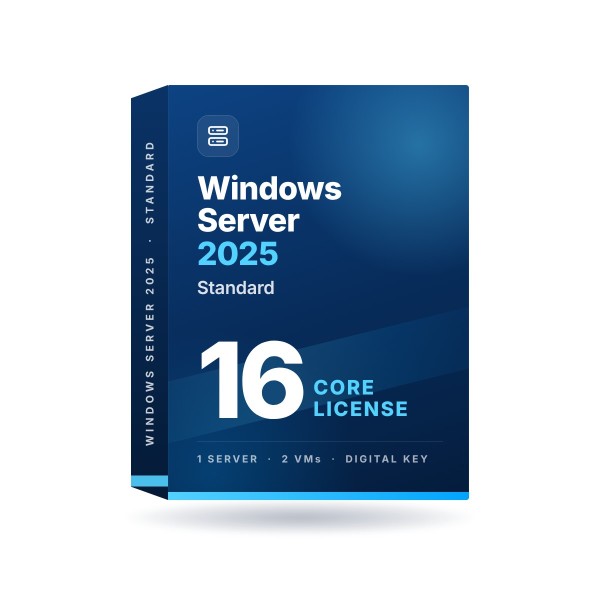
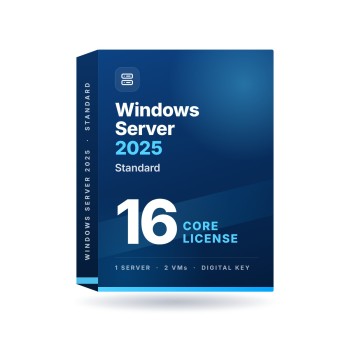
Windows Server 2025 Standard 16 Core License
Windows Server 2025 Standard · 16 cores · one-time license
You get:
- Genuine OEM license key
- Installation files
- Activation support
- Installation guide
- License for 1 server
- Activation Guarantee
- 16 cores · rights for 2 virtual machines
License terms: Most Windows Server editions are licensed by physical core, and every core in the server must be covered, so a larger server may need more than one. Client Access Licenses for connecting users or devices are sold separately.
Available for digital delivery. Usually delivered within seconds after payment. Some orders may require a security review.
5 products and more
10 products and more
100 products and more
Sold by PCSalesOnline, an independent online software retailer owned and operated by Key Supplier LLC. Not affiliated with, endorsed by, or sponsored by Microsoft Corporation. Microsoft, Office and Windows are registered trademarks of Microsoft Corporation.
Real Customer Reviews (446)
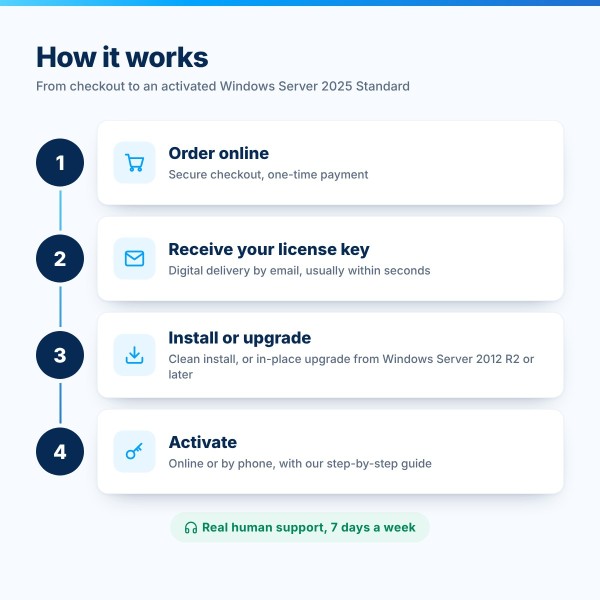
How Does It Work?
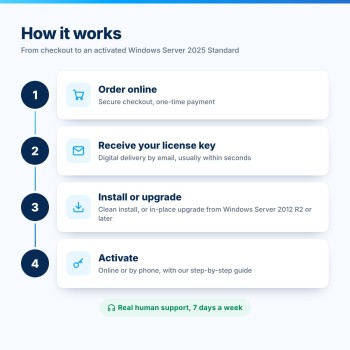
A simple, secure, and guided experience from purchase to activation.
Purchase
Choose your product and check out securely.
Receive Your LicenseUsually in Seconds
Sent to your email and saved in your account. Some orders need a quick security check.
Activate Using Simple Guide
Follow our simple step-by-step activation guide.
Need Help?We're Here for You.
Real human support experts, available 7 days a week.
You're Protected. Enjoy Your Software!
Enjoy your activated product with expert support.
Windows Server 2025 Standard 16 Core License
The new long-term release for business servers
Windows Server 2025 Standard is the current Long-Term Servicing Channel release of Windows Server, built for physical servers and lightly virtualized environments. Run Active Directory, file and print services, DNS, DHCP, Hyper-V and your business applications on one secure, well-supported platform.
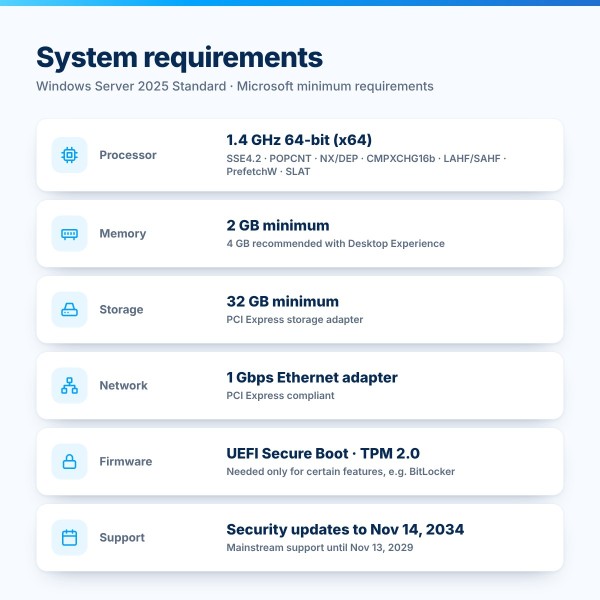
This is a genuine 16 Core license with a one-time payment and instant digital delivery. Microsoft provides security updates for Windows Server 2025 until November 14, 2034.

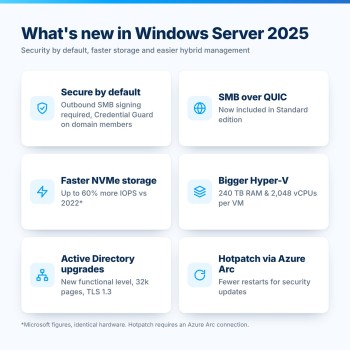
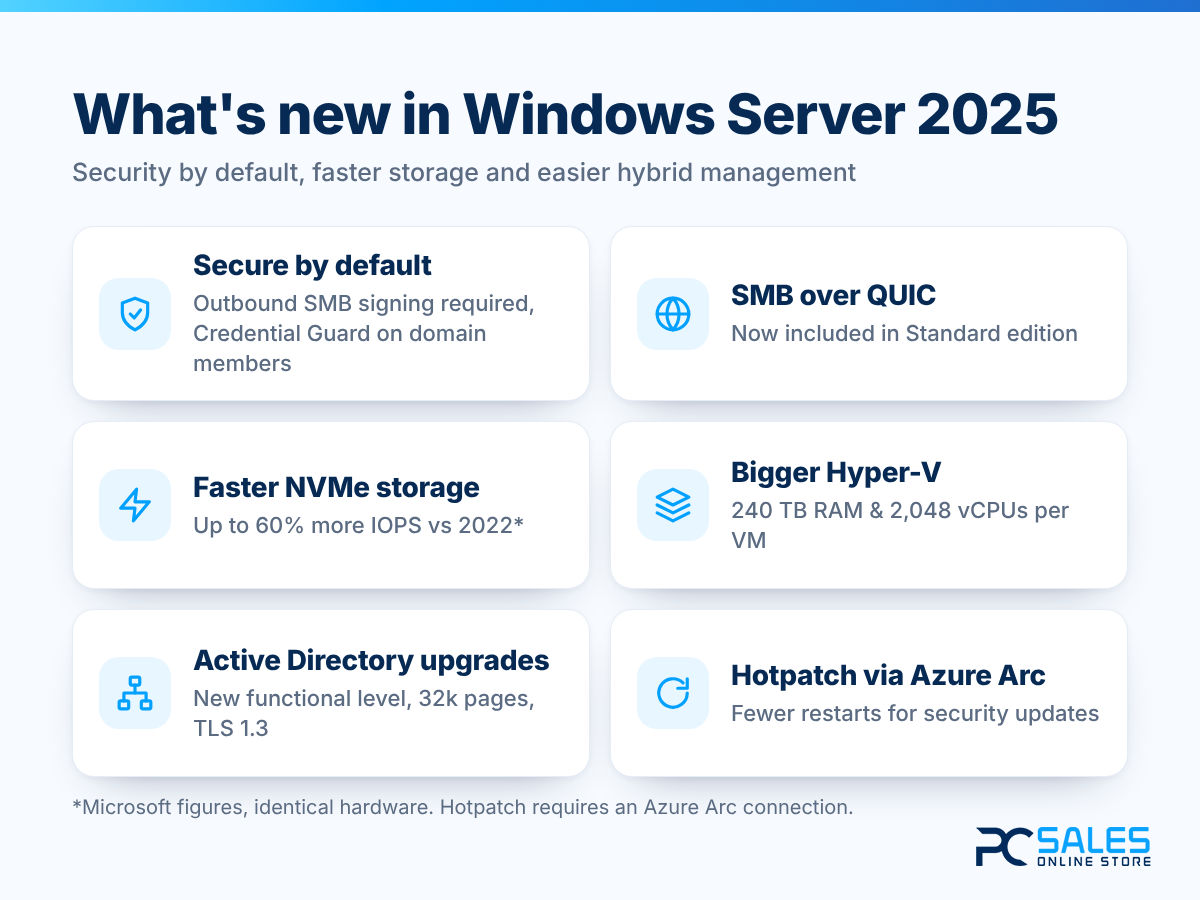
What's new in Windows Server 2025
This release focuses on security by default, faster storage and easier hybrid management:
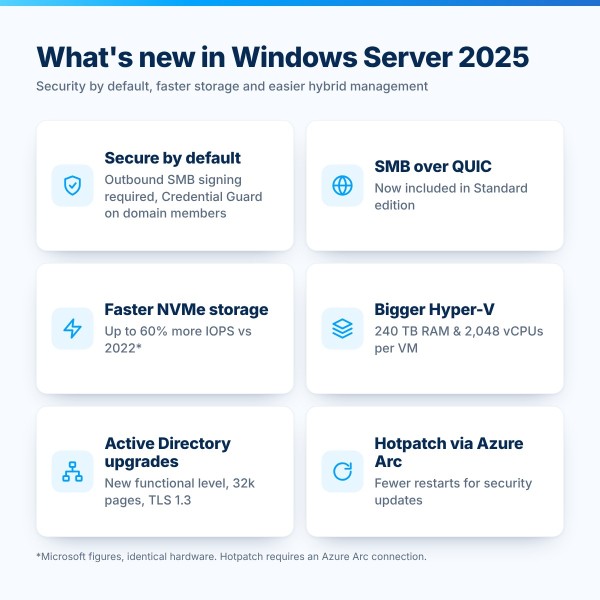
- Secure by default - SMB signing is required for outbound connections, and Credential Guard is on by default on domain-joined member servers that meet the requirements.
- SMB over QUIC in Standard - secure access to file shares over the internet, previously reserved for Azure Edition.
- Faster NVMe storage - up to 60% more storage IOPS than Windows Server 2022 on identical hardware, according to Microsoft.
- Bigger Hyper-V - up to 240 TB of memory and 2,048 virtual processors per generation 2 VM, plus GPU partitioning.
- Active Directory upgrades - a new functional level, optional 32k database pages and LDAP over TLS 1.3.
- Hotpatch via Azure Arc - apply many security updates without a restart on Azure Arc-connected servers.
- Familiar tools - a Windows 11-style desktop, with OpenSSH server and WinGet installed by default.
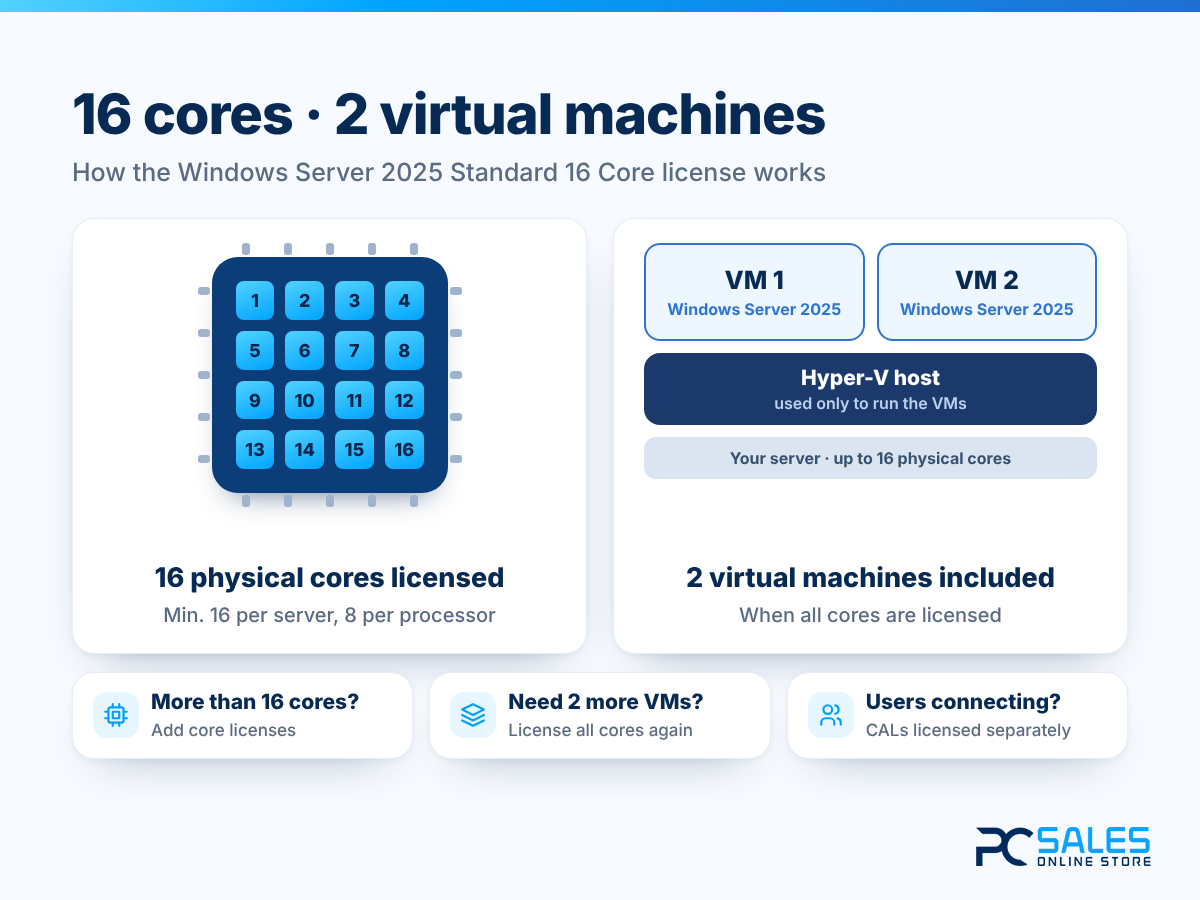
16 cores and 2 virtual machines
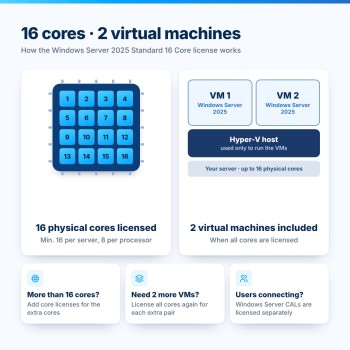
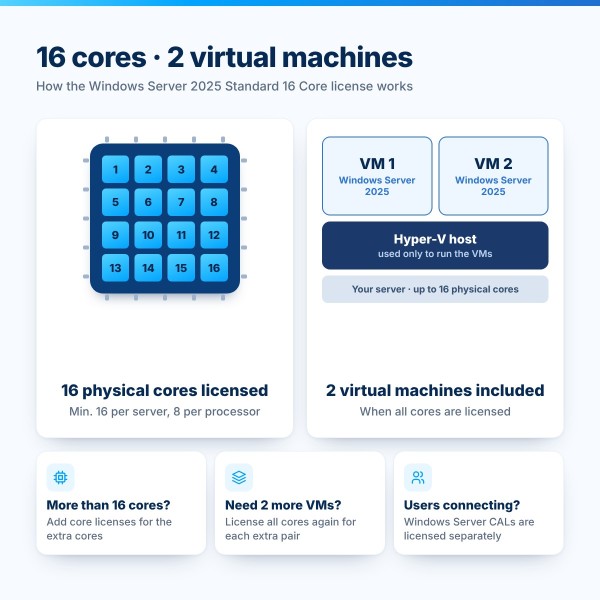
Windows Server is licensed per physical processor core. Every core must be licensed, with a minimum of 8 cores per processor and 16 cores per server - so this 16 Core license covers one server with up to 16 physical cores, whether it has one processor or two.
With all cores licensed, Standard edition lets you run Windows Server in 2 virtual machines plus the Hyper-V host. Servers with more cores need additional core licenses, and every extra pair of virtual machines requires licensing all cores again.
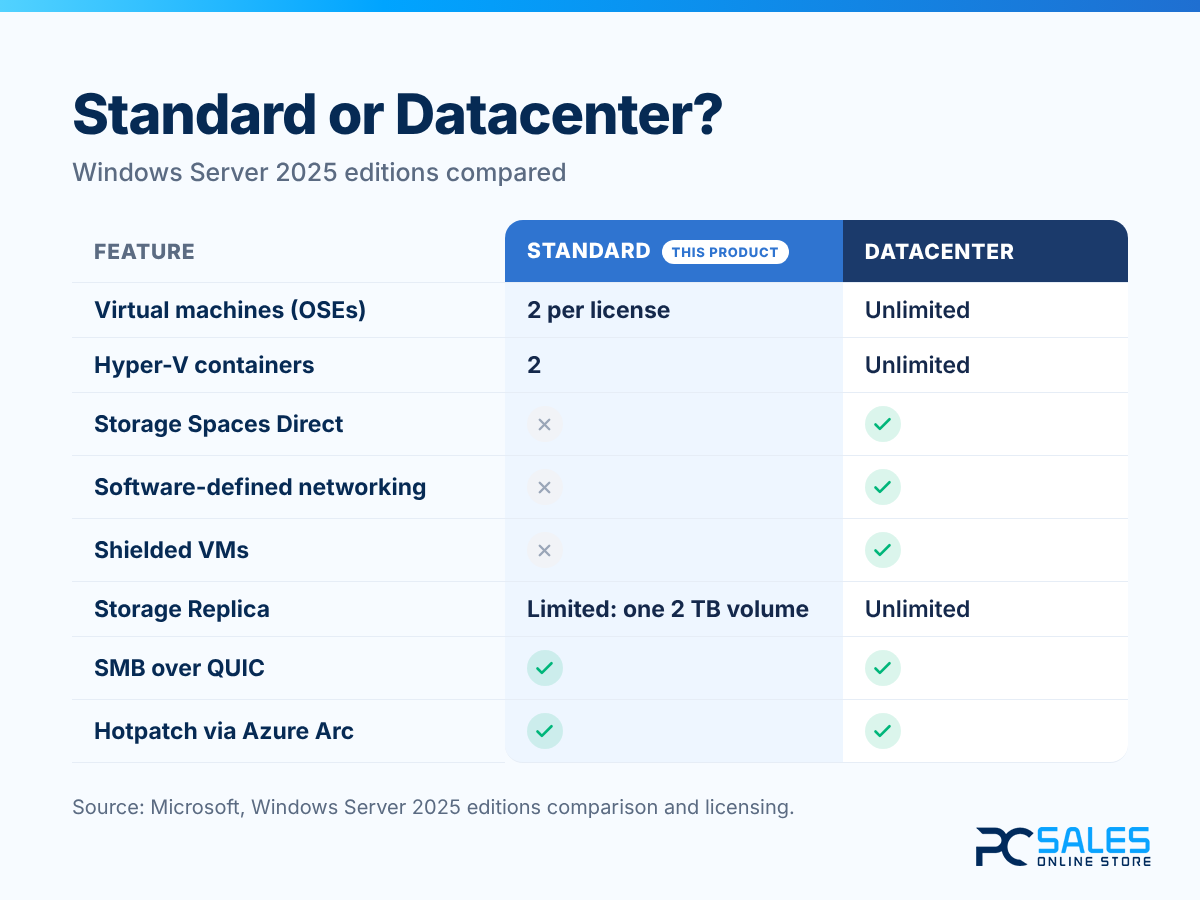
Standard or Datacenter?
Standard is the right choice for physical servers and small virtual environments. Datacenter adds unlimited virtual machines and software-defined datacenter features such as Storage Spaces Direct, software-defined networking and shielded virtual machines.
Both editions share the core Windows Server 2025 platform, including SMB over QUIC and Hotpatch through Azure Arc. Not sure which edition fits your servers? Our licensing specialists will help you before you buy.
What you receive after purchase
- Genuine Windows Server 2025 Standard license key (16 cores)
- Download instructions for the installation media
- Step-by-step installation guide
- Activation guide
- Lifetime access to your license inside your PCSalesOnline account
- Expert licensing and activation support
Technical specifications
| Product | Microsoft Windows Server 2025 Standard |
|---|---|
| License | 16 Core - 1 server with up to 16 physical cores |
| Virtualization | 2 virtual machines (OSEs) + Hyper-V host |
| License Type | Lifetime license, one-time payment |
| Servicing Channel | Long-Term Servicing Channel (LTSC) |
| Updates | Mainstream support until November 13, 2029; security updates until November 14, 2034 |
| Installation Options | Server Core or Server with Desktop Experience |
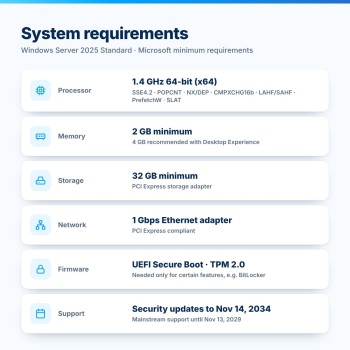
| Processor | 1.4 GHz 64-bit (x64) with SSE4.2 and POPCNT |
| Memory | 2 GB minimum (4 GB recommended with Desktop Experience) |
| Storage | 32 GB minimum |
| Network | Ethernet adapter, at least 1 Gbps |
| CALs | Windows Server 2025 CALs required; RDS CALs for Remote Desktop (sold separately) |
| Delivery | Instant Digital Delivery |
Frequently asked questions
Does this license cover my server?
It covers one physical server with up to 16 physical processor cores. Microsoft requires every physical core to be licensed, with a minimum of 8 cores per processor and 16 cores per server. If your server has more than 16 cores, additional Windows Server 2025 core licenses are needed.
How many virtual machines can I run?
When all physical cores are licensed, Standard edition lets you run Windows Server in 2 virtual machines (operating system environments), plus the physical instance if it is used only to host and manage them. Every 2 additional virtual machines require licensing all cores again. If you need many VMs, Datacenter edition offers unlimited virtualization.
Do I need CALs?
In most cases, yes. Microsoft requires a Windows Server 2025 Client Access License (CAL) for each user or device that accesses the server - CALs for 2022 or earlier don't cover Windows Server 2025 - plus an RDS CAL for Remote Desktop Services. Two users may connect without CALs solely for administration. You will find Windows Server 2025 RDS CALs in our store.
Can I upgrade my current server in place?
Yes. Non-clustered servers can upgrade directly to Windows Server 2025 from Windows Server 2012 R2, 2016, 2019 or 2022. You can't switch between Server Core and Desktop Experience during an upgrade, and you can't move from Datacenter to Standard. For domain controllers, Microsoft recommends a clean installation instead: promote the new server as a domain controller and demote the old one.
How long will Windows Server 2025 be supported?
Windows Server 2025 follows Microsoft's Fixed Lifecycle Policy, with mainstream support until November 13, 2029 and extended support, including security updates, until November 14, 2034.
Will it run on my hardware?
You need a 1.4 GHz 64-bit processor with support for SSE4.2, POPCNT, NX/DEP, CMPXCHG16b, LAHF/SAHF, PrefetchW and SLAT, at least 2 GB of RAM and 32 GB of storage. Some older processors lack SSE4.2 or POPCNT and can't run Windows Server 2025; Microsoft's free Coreinfo tool shows what your CPU supports. TPM 2.0 and UEFI Secure Boot are only required for certain features, such as BitLocker.
How fast is delivery?
Your license key is delivered digitally after checkout, usually within seconds of payment, though some orders need a short security review. You then download the installation media and activate using the included guide.
What if I buy the wrong edition?
Our specialists will help you choose the correct product and license your cores correctly. If the issue cannot be resolved, our Activation Guarantee and Refund Policy applies.
Activation Guarantee
If your key does not activate, we will fix it, replace it, or issue an eligible refund.
Genuine Licenses
Authentic keys with permanent access, no renewals.
Expert Support
Real human experts are ready to help, 7 days a week.
Highly Verified
Rated Excellent by over 10,000 happy customers.
You get:
- Genuine OEM license key
- Installation files
- Activation support
- Installation guide
- License for 1 server
- Activation Guarantee
- 16 cores · rights for 2 virtual machines