
 4.6
4.6
- -50%
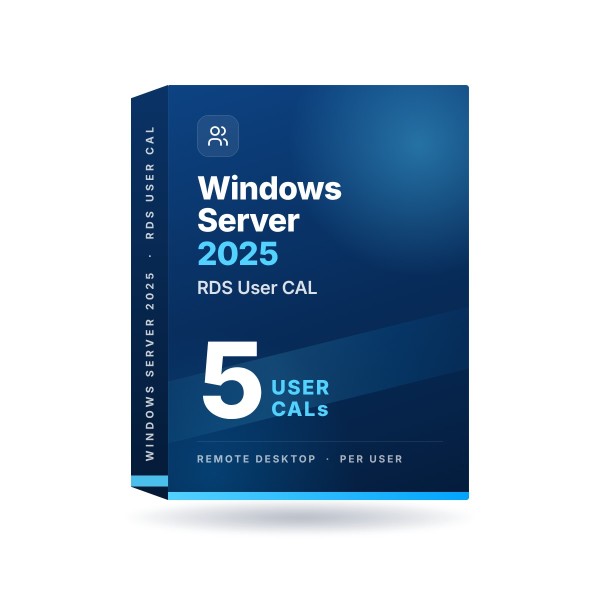
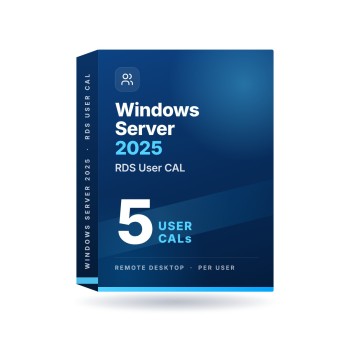
Windows Server 2025 RDS User CAL
Windows Server 2025 · 5, 10, 20, 30 or 50 User CALs · one-time license
You get:
- 5, 10, 20, 30 or 50 RDS User CALs
- Genuine OEM license key
- One-time purchase
- Activation support
- Activation Guarantee
- Works with Windows Server 2025 Remote Desktop Services
License terms: A Client Access License installs no software. It grants the right to connect to a Windows Server you license separately. A Device CAL covers one device used by any number of people; a User CAL covers one person on any number of devices.
Available for digital delivery. Usually delivered within seconds after payment. Some orders may require a security review.
5 products and more
10 products and more
100 products and more
Sold by PCSalesOnline, an independent online software retailer owned and operated by Key Supplier LLC. Not affiliated with, endorsed by, or sponsored by Microsoft Corporation. Microsoft, Office and Windows are registered trademarks of Microsoft Corporation.
Real Customer Reviews (446)
How Does It Work?
A simple, secure, and guided experience from purchase to activation.
Purchase
Choose your product and check out securely.
Receive Your LicenseUsually in Seconds
Sent to your email and saved in your account. Some orders need a quick security check.
Activate Using Simple Guide
Follow our simple step-by-step activation guide.
Need Help?We're Here for You.
Real human support experts, available 7 days a week.
You're Protected. Enjoy Your Software!
Enjoy your activated product with expert support.
Windows Server 2025 RDS User CAL
What a Remote Desktop CAL is for
Microsoft Remote Desktop Services lets people reach Windows Server desktops and business applications from almost anywhere, while administrators keep central control.
Windows Server itself allows only two remote connections for administration. To let more people work on the server, Microsoft requires the RD Session Host role and a Remote Desktop Services Client Access License (RDS CAL) for each user or device that connects.

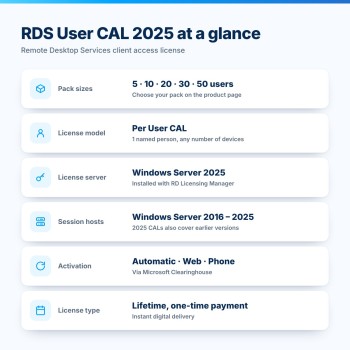
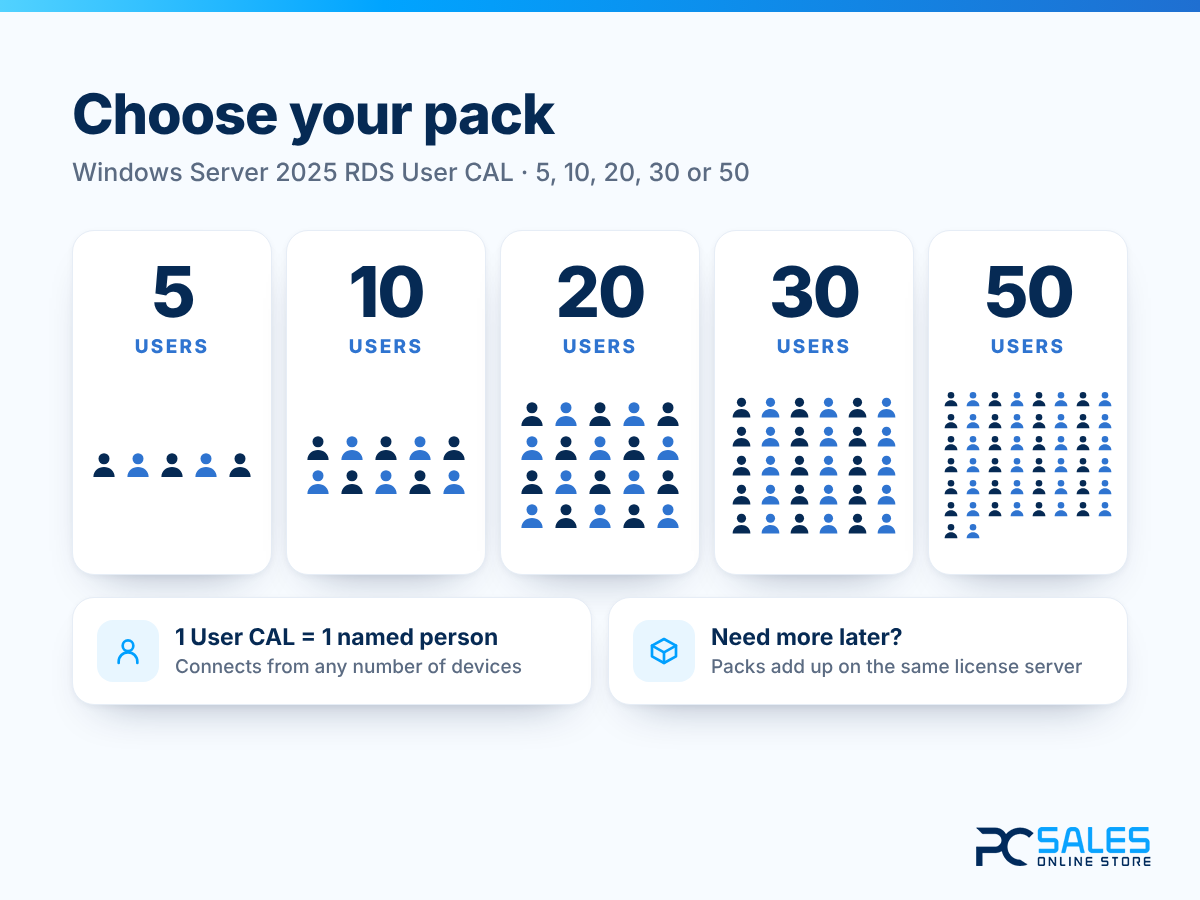
Choose 5, 10, 20, 30 or 50 users
Select the pack that matches your team. Each Windows Server 2025 RDS User CAL licenses one named person, who can connect from any number of devices - office PC, home computer, laptop, tablet or phone.
These are genuine Microsoft lifetime licenses with a one-time payment and instant digital delivery. It is an add-on license: it does not include the Windows Server operating system, and you can add more CALs at any time.
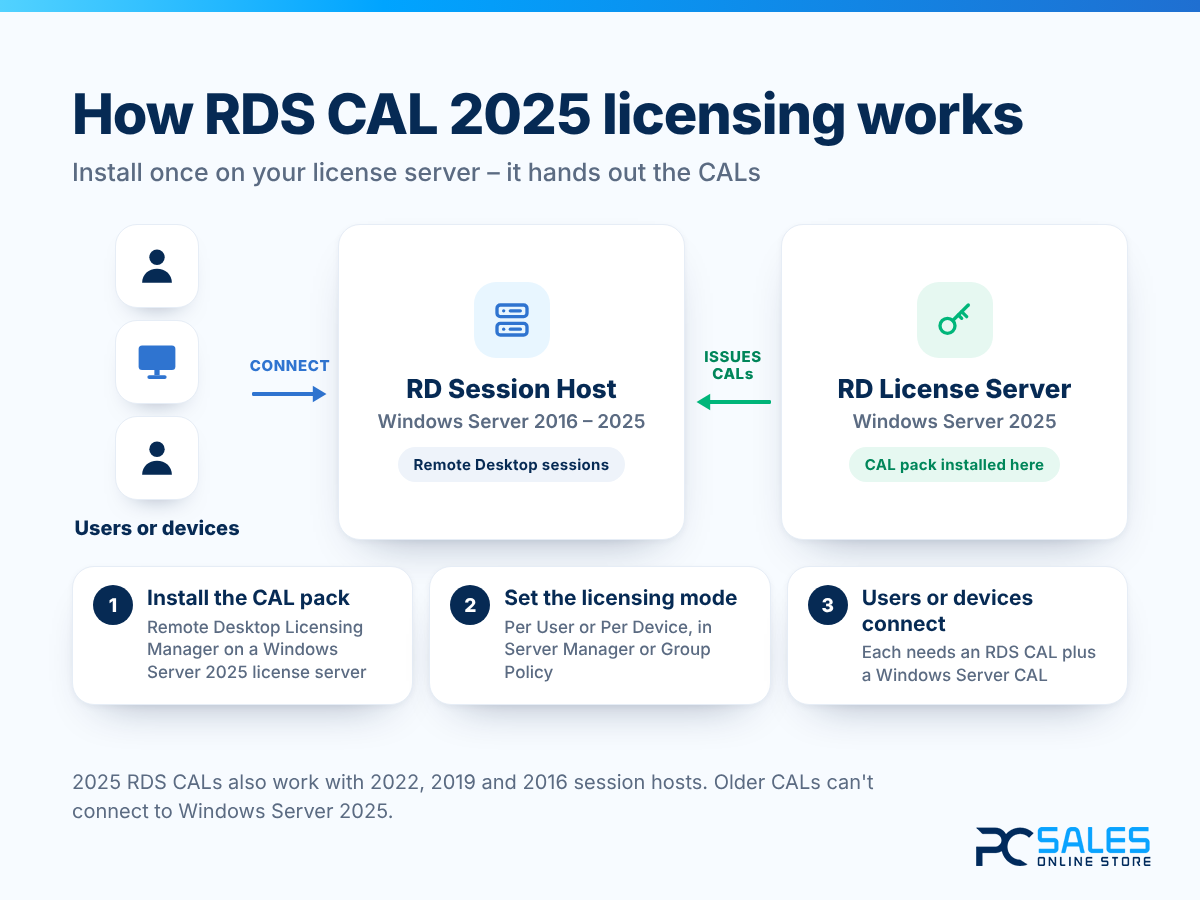
How RDS CAL 2025 licensing works
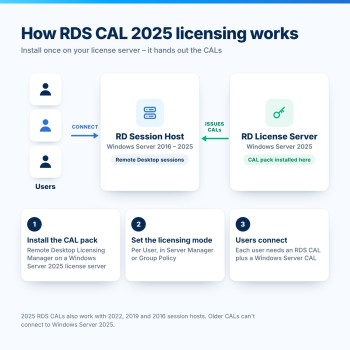
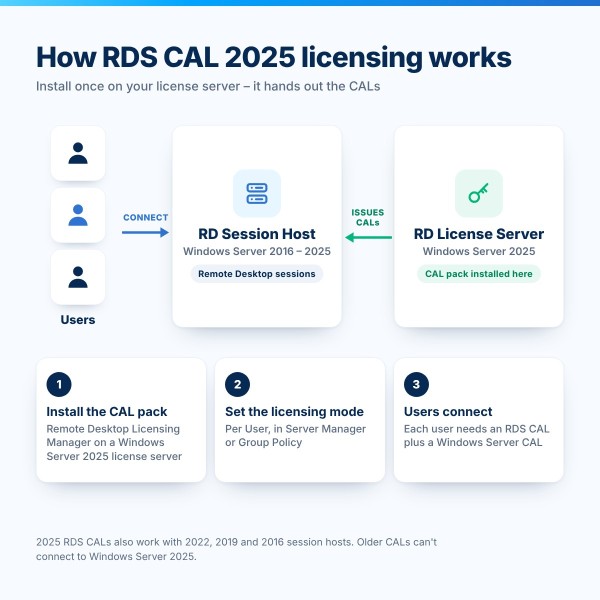
You install the CALs on a Remote Desktop license server running Windows Server 2025, using Remote Desktop Licensing Manager. Your RD Session Hosts then request licenses from it, and it issues a Per User CAL to each user who connects.
Windows Server 2025 RDS CALs also cover session hosts running Windows Server 2022, 2019 and 2016, so they are a safe choice for mixed environments. Older CALs, on the other hand, can't be used to connect to Windows Server 2025.
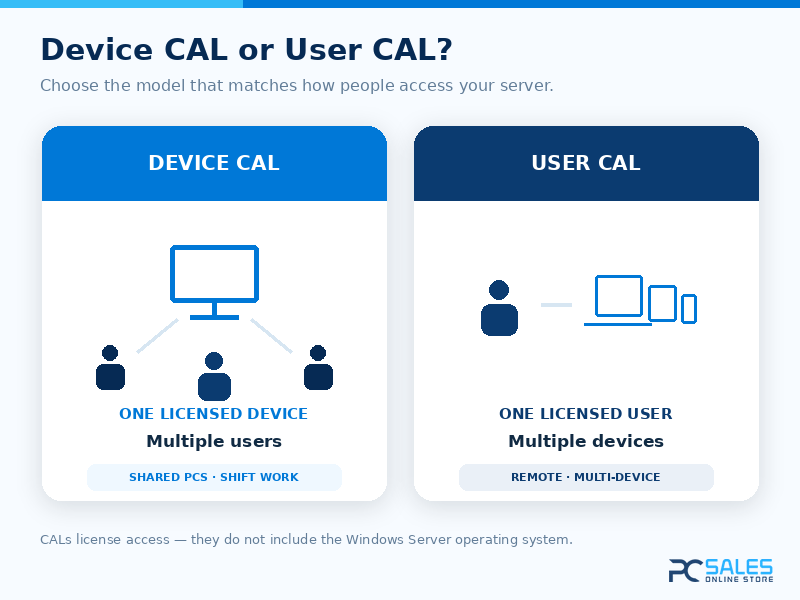
User CAL or Device CAL?
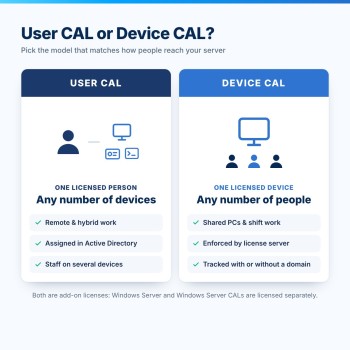
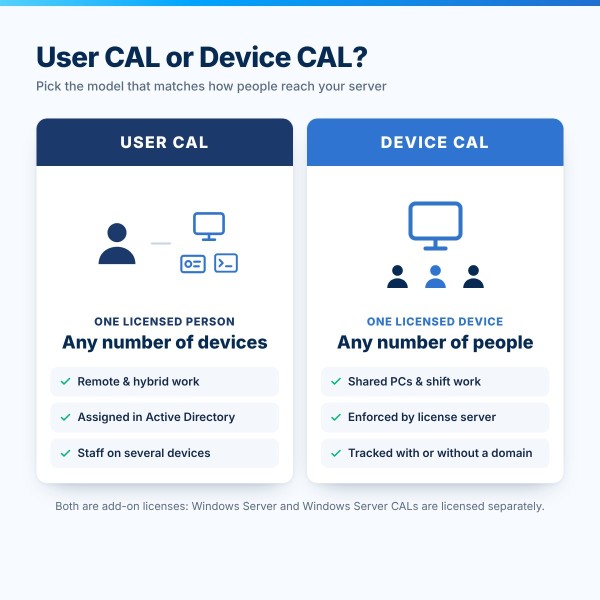
A User CAL licenses one named person, who may connect from a desktop, a laptop, a tablet or a phone. A Device CAL licenses one physical device used by any number of people.
User CALs are assigned to users in Active Directory and can't be tracked in a workgroup. They are usually the better value wherever one employee works across several devices.
Who this suits
Remote and hybrid teams, field and mobile staff, consultants, and anyone who moves between an office computer, a home computer and a laptop.
Not sure which model costs less in your case? Our licensing specialists will work it out with you before you buy.

What you receive after purchase
- Your selected pack of genuine Windows Server 2025 RDS User CALs (5, 10, 20, 30 or 50)
- Lifetime licenses with a one-time payment
- Instant digital delivery
- Step-by-step guide for Remote Desktop Licensing Manager
- Activation support from our specialists
- Activation Guarantee
Technical specifications
| Product | Windows Server 2025 Remote Desktop Services User CAL |
|---|---|
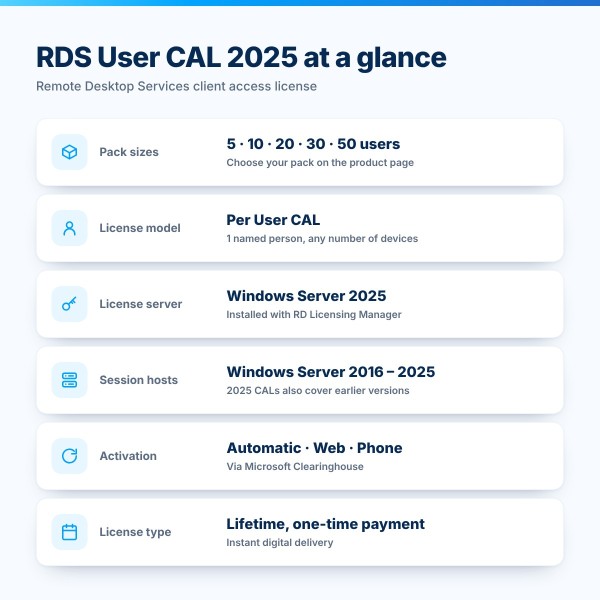
| Pack Sizes | 5, 10, 20, 30 or 50 User CALs (select above) |
| License Model | Per User Client Access License (User CAL) |
| License Type | Lifetime license, one-time payment |
| License Server | Remote Desktop license server on Windows Server 2025 |
| Session Hosts | Windows Server 2025, 2022, 2019 and 2016 |
| Installation | Remote Desktop Licensing Manager (Install Licenses Wizard) |
| Activation | Automatic, web browser or telephone (Microsoft Clearinghouse) |
| Also Required | Windows Server license and Windows Server 2025 CALs (user or device) |
| Delivery | Instant Digital Delivery |
Frequently asked questions
What is included with this product?
The number of genuine Windows Server 2025 Remote Desktop Services User Client Access Licenses (RDS User CALs) you select - 5, 10, 20, 30 or 50 - delivered digitally with installation instructions.
Do I need a Windows Server 2025 license server?
Yes. Microsoft allows RDS CALs to be installed only on a license server running the same Windows Server version or later, so 2025 RDS CALs need a Remote Desktop license server on Windows Server 2025. That license server can issue CALs to session hosts running Windows Server 2016 to 2025.
Can I use these CALs with older versions of Windows Server?
Yes. Later RDS CALs can be used to access earlier versions, so 2025 RDS CALs work with session hosts on Windows Server 2022, 2019 and 2016. The reverse is not allowed: 2022 or older RDS CALs can't be used to connect to Windows Server 2025.
What is the difference between User CAL and Device CAL?
A User CAL licenses one person, who can connect from multiple devices. A Device CAL licenses one physical device, which multiple people can use. Per User CALs are assigned through Active Directory and can't be tracked in a workgroup; Per Device CALs are issued and enforced by the license server.
How do I install the CALs?
Open Remote Desktop Licensing Manager, right-click your activated license server and select Install licenses. Choose the license program, enter your license code, then select Windows Server 2025, Per User CAL and the number of licenses. Finally, set the licensing mode of your RD Session Hosts to Per User. Our guide walks you through every step.
Do I also need Windows Server CALs?
Under Microsoft licensing terms, the RDS CAL is an additional license: each user who accesses the server also needs a Windows Server CAL in version 2025 or later. Two users may connect without CALs solely for administration.
Are these lifetime licenses, and how fast is delivery?
Yes. These are genuine Microsoft lifetime licenses purchased with a one-time payment, delivered digitally within minutes after payment.
Can I add more users later?
Yes. Buy another pack at any time and install it on the same license server - the licenses add up.
Activation Guarantee
If your key does not activate, we will fix it, replace it, or issue an eligible refund.
Genuine Licenses
Authentic keys with permanent access, no renewals.
Expert Support
Real human experts are ready to help, 7 days a week.
Highly Verified
Rated Excellent by over 10,000 happy customers.
You get:
- 5, 10, 20, 30 or 50 RDS User CALs
- Genuine OEM license key
- One-time purchase
- Activation support
- Activation Guarantee
- Works with Windows Server 2025 Remote Desktop Services